Free trucking templates and checklists
Five one-page templates for small transport operators, free to download and print. Each one is an A4 PDF. Print a stack, keep them in the truck, and file them when they come back.
They're built from the paperwork we use running our own trucks at TLH out of Braeside.
Truck pre-start checklist
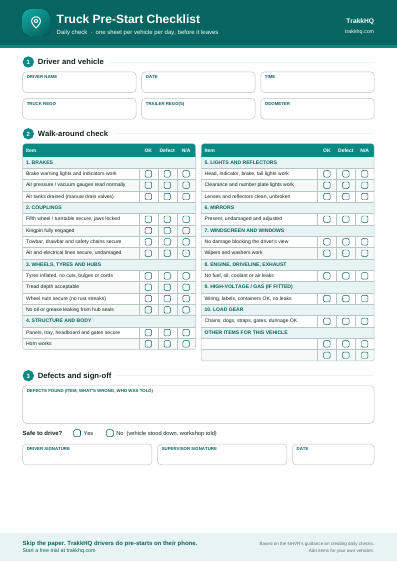
A daily check for one vehicle, done before it leaves the yard. It covers the areas the NHVR groups daily checks into: brakes, couplings, wheels, tyres and hubs, structure and body, lights and reflectors, mirrors, windscreen and windows, engine, driveline and exhaust, high-voltage and gas systems, and load gear. Each item has an OK, Defect or N/A tick, then there's room for defects, a "safe to drive?" call and the driver's and supervisor's signatures.
Who fills it in: the driver, at the start of the shift and whenever they take over a vehicle. Add rows for anything specific to your trucks.
Download the truck pre-start checklist (PDF)
For what each check means and what to do with defects, read our truck pre-start inspection guide.
Consignment note and proof of delivery
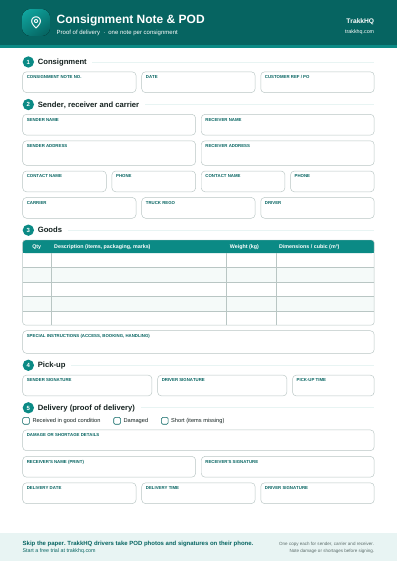
One note per consignment: note number and date, sender, receiver and carrier details, truck rego and driver, a goods table (quantity, description, weight and dimensions or cubic) and special instructions. The pick-up section records who handed the freight over and when. The delivery section records whether it arrived in good condition, damaged or short, with the receiver's printed name, signature, date and time.
Who fills it in: the sender or office starts it, the driver gets it signed at pick-up, and the receiver signs at delivery. Keep a copy for each party.
Download the consignment note and POD (PDF)
Our proof of delivery guide covers what a good POD records and why it gets you paid faster.
Load restraint checklist
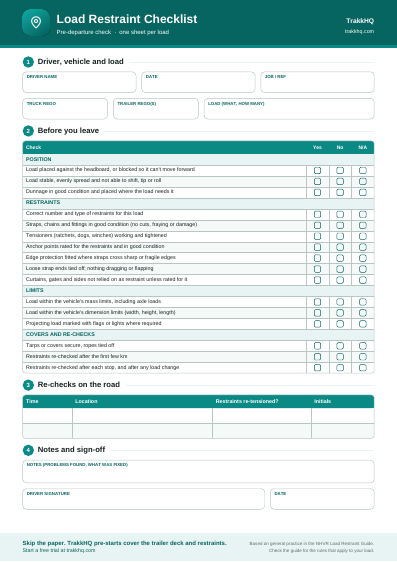
A pre-departure check for one load: load against the headboard or blocked, the right number and type of restraints, straps and chains in good condition, rated anchor points, edge protection, dunnage, mass and dimension limits, tarps, and re-checks after the first few kilometres and after each stop. There's a small table for logging those re-checks on the road.
Who fills it in: the driver, once the load is on and before leaving the site.
The sheet is a prompt, not the rulebook. How many restraints a load needs depends on the load, so check the NHVR Load Restraint Guide for the rules that apply to yours.
Download the load restraint checklist (PDF)
Truck service log
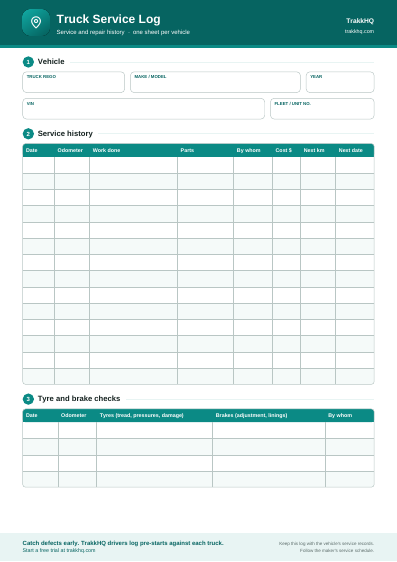
One sheet per vehicle: rego, make and model, VIN and year, then fourteen rows of service history (date, odometer, work done, parts, who did it, cost, and when the next service is due by kilometres or date). A short table at the bottom records tyre and brake checks between services.
Who fills it in: whoever services or repairs the truck, workshop or owner-driver. Keep it with the vehicle's service records.
Download the truck service log (PDF)
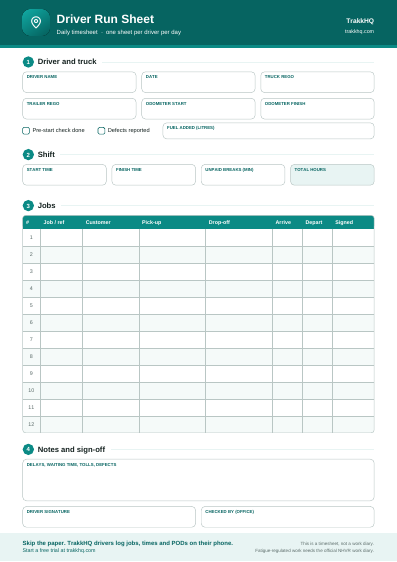
Driver daily timesheet and run sheet
One sheet per driver per day: driver, truck and odometer, start and finish times, unpaid breaks and total hours, and up to twelve jobs with pick-up, drop-off, arrive and depart times and a signature.
Who fills it in: the driver through the day, checked by the office at the end of it.
Download the driver daily timesheet (PDF)
To turn those hours into weekly totals and pay, use the truck driver timesheet calculator.
Using these templates
The templates are free to print, copy and share with your drivers, subcontractors and customers. Add your own logo or extra items if you need to.
The run sheet is not a work diary. Drivers doing fatigue-regulated heavy vehicle work must keep the official NHVR work diary as well.
The pre-start and load restraint checklists are general prompts, not legal advice. Check the NHVR for the requirements that apply to your vehicles and loads.
Do it on the phone with TrakkHQ
Paper works until a sheet goes missing or nobody reads it. In TrakkHQ, these jobs are done in the driver app:
- Pre-starts for the truck and trailer, recorded against the vehicle and driver with a timestamp.
- Jobs and times: drivers see their jobs, tap arrive and depart, and clock on and off.
- Proof of delivery: POD photos and the receiver's signature at every drop, sent straight to the office.